
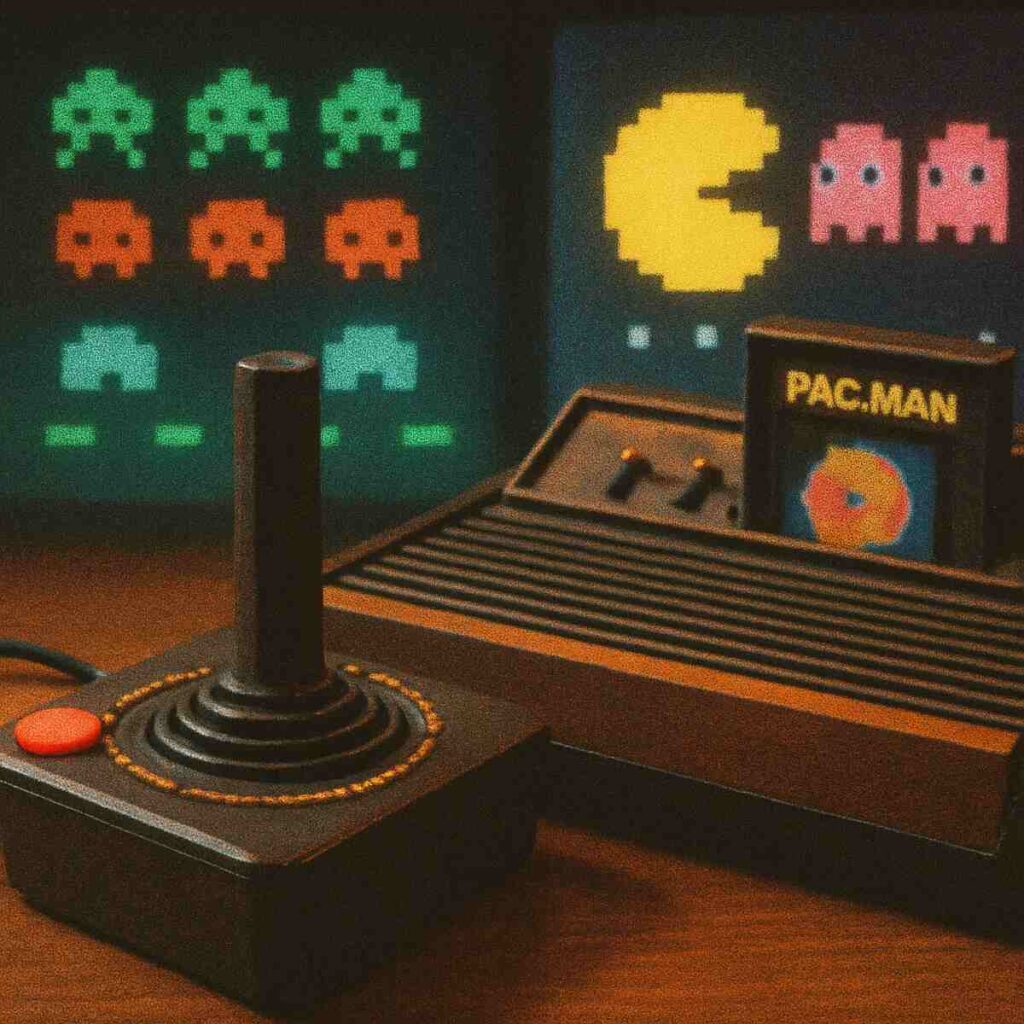
Remember the sound? That simple wocka-wocka of Pac-Man, the satisfying pew-pew of shooting a spaceship, or the iconic boop-boop of Pong. You might think firing up those games today requires old hardware or complicated software, a barrier too high for a quick dose of nostalgia. But what if you could be playing those classic games again, for free, in the next 60 seconds, right from your browser? To know more, check out ufac4
It’s not just possible; it’s surprisingly simple. The power to play retro games from this legendary era is already built into the device you’re using. All you need is your keyboard and a web connection to access a massive library of Atari games online. There are no downloads, no installations, and no costs involved—just the immediate, straightforward fun that made these titles icons in the first place.
This guide will show you exactly where to go and how to start playing immediately, getting you from reading this to defending your cities in Missile Command in just a few clicks. Rediscovering these classic Atari games is easier than ever, and you’ll find they are still incredibly fun.
Your First Game: How to Play ‘Pitfall!’ on The Internet Archive Right Now
Enough talk, let’s play. The best way to understand the magic of Atari is to experience it yourself. We’ll start with one of the most famous adventure games ever made: Pitfall!. To do this, we’re going to use The Internet Archive, a non-profit digital library that has preserved thousands of classic titles, making them available to play for free right in your browser. It’s safe, reputable, and the closest thing we have to a playable museum of video game history.
Ready to help Pitfall Harry snag some treasure? It takes less than a minute.
- Open your web browser and search for the Internet Archive Atari 2600 library, or navigate directly to their “Console Living Room.”
- Once there, find the search bar and type in Pitfall!.
- Click on the game’s box art when it appears in the results.
- A new screen will load with a large image of the game. Just click the big, green power button icon on the screen to start it up.
The game will instantly load, and you’re ready to run. For Pitfall! and most other Atari browser games, the controls are beautifully simple. Use your keyboard’s arrow keys to make Harry run left and right. The spacebar is your action button—in this case, it makes you jump over rolling logs and snapping crocodiles. That’s it! Arrow keys to move, spacebar to act. You’ve just mastered the controls for hundreds of classic games.
It’s that simple. You didn’t have to download anything or pay a fee. Now that you know how to launch a game, you can use these same steps to explore the entire library and play any Atari 2600 game in your browser. But with so many choices, where should you start?
What Are the Best Classic Arcade Games to Play? Start With These 5 Icons
Stepping into a library of thousands of old games can feel overwhelming. With so many choices, where do you even begin? The answer is simple: you start with the titans. These are the games that were so popular they consumed mountains of quarters in arcades before becoming must-have cartridges for the Atari 2600 at home.
Each one was built on a simple premise that made it instantly understandable and endlessly addictive. This “Mount Rushmore” of retro gaming is the perfect place to get started. Using the same steps you learned for Pitfall!, you can search for and play any of these free retro arcade games with no download required.
Here are five foundational classics that are just as fun today:
- Space Invaders: The one that started the craze. A relentless army of aliens marches down the screen, row by row. Your job is simple: shoot them all from your laser base before they land.
- Centipede: Forget aliens—now your screen is infested with a giant, segmented insect winding its way through a field of mushrooms. To play Centipede online is to experience a frantic and colorful shooter where you must blast the bug and the other creepy crawlies that get in your way.
- Missile Command: Perhaps the most intense game of the era. Streaks of light representing incoming nuclear missiles rain down on your cities. Using a trackball (or your arrow keys), you must fire defensive rockets to intercept them. The goal isn’t winning; it’s surviving as long as possible.
- Asteroids: You are a lone triangular ship lost in a field of giant space rocks. You can shoot the asteroids, but they just break into smaller, faster pieces. It’s a beautiful and tense game of survival, physics, and precision shooting.
- Pac-Man: A game so iconic it needs no introduction, but here’s the gist: navigate a maze, eat all the dots, and avoid the four colorful ghosts trying to stop you. Grab a power pellet to turn the tables and chase them down for bonus points!
You’ll quickly notice what makes these games timeless. They don’t have complicated stories or controls. The objective is always clear, the action is immediate, and the challenge comes from mastering the simple mechanics to get a higher and higher score. This focus on pure, score-chasing gameplay is what defined the golden age of arcades.
How Is This Possible? The ‘Virtual Console’ That Runs Atari Games in Your Browser
It seems like magic, right? A 40-year-old game designed for a chunky console and a tube television running perfectly on your sleek, modern computer. The secret is a clever piece of software called a browser-based Atari emulator. Think of it this way: the website you’re visiting creates a temporary, “virtual Atari console” inside your browser tab. This program is designed to behave exactly like the original hardware, from the way it processes graphics to the way it makes sound.
Because this virtual console runs directly on the website itself, there is nothing for you to download or install. You just click ‘Play,’ and the program instantly gets to work, loading the original game code and translating your keyboard presses into the joystick and button commands the game understands. This provides an authentic 8-bit gaming experience—it’s not a modern remake or a close copy. You are playing the genuine, pixel-for-pixel game that kids from the 80s would have played.
This technology closes the 40-year gap between their living room and your web browser, delivering the exact same challenges and charms. But bringing old commercial games to the web for free raises some obvious questions about the rules.
Are Online Atari Emulators Legal to Play?
The short answer for you—the player—is reassuring, though the legal landscape can be murky. The crucial difference lies in how you’re accessing the game. Playing a classic that streams in your browser on an established website is one thing; downloading game files to keep permanently on your own computer is another. Think of it like streaming a classic movie from a library’s archive versus downloading a pirated copy of it.
Many websites can host these games by operating under a principle of software preservation. Organizations like the well-respected Internet Archive believe that old software, including video games, are vital cultural artifacts that should be saved from disappearing forever. Their mission is to create a digital library of our history, allowing people to access these programs for educational and research purposes, much like a library preserves old books or films. This mission provides a legal justification for their hosting of the content.
By playing these games through a preservation project, you’re essentially visiting a digital museum. For someone simply clicking “play” in a web browser, the consensus is that the legal risk is practically nonexistent, as the site itself is the one handling the complex retro game emulation laws. You can explore these foundational games with confidence.
Beyond the Hits: 3 Atari ‘Hidden Gems’ You Shouldn’t Miss
You’ve likely played or at least heard of the titans of the Atari era like Pac-Man and Space Invaders. But beyond those arcade-born giants lies a treasure trove of creative, innovative games that truly defined the console. Once you’re ready to move past the most famous titles, these three games offer a fantastic glimpse into the clever design that made the Atari 2600 so special.
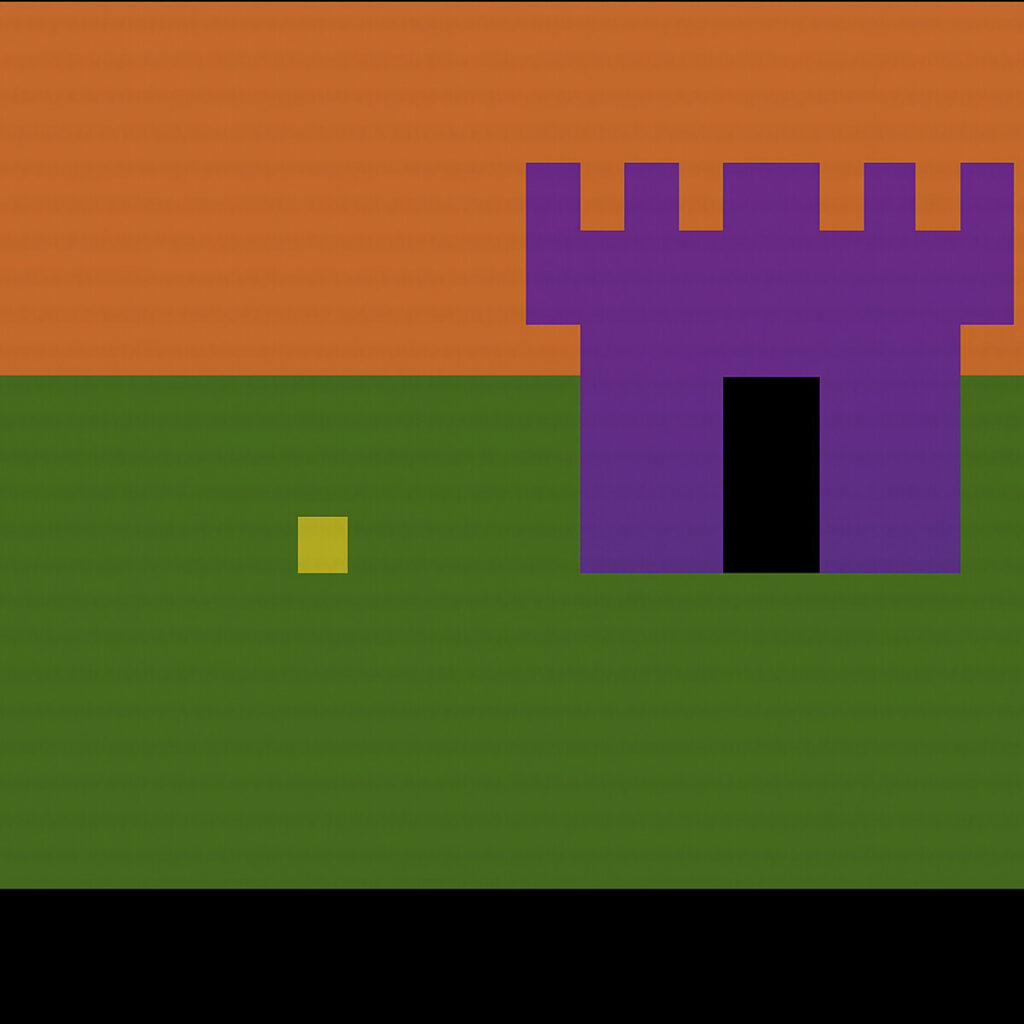
Perhaps the most important “hidden gem” is the Adventure Atari game. Released in 1980, it is widely considered the very first action-adventure video game, creating a template that games still follow today. You control a simple square hero on a quest to find an enchanted chalice. To do this, you must explore a world of castles and dark mazes, find keys to unlock gates, and use a sword to slay three surprisingly terrifying dragons. It was the first console game to have players explore multiple screens and manage items, creating a sense of a large, mysterious world that was completely revolutionary for its time.
If you’re looking for something more bizarre and action-packed, you must try Yars’ Revenge online. In this classic, you play as a giant, space-faring insect trying to break through a shimmering, protective barrier to destroy an enemy cannon. The game is a visual and auditory trip, with unique mechanics that involve nibbling away at a shield and avoiding enemy fire before lining up the perfect shot. For a completely different kind of frantic action, there’s Kaboom!. The premise is brilliantly simple: a “Mad Bomber” runs along the top of the screen dropping bombs, and you control a set of water buckets at the bottom, scrambling left and right to catch them. It’s a pure test of reflexes that becomes incredibly addictive.
These titles beautifully illustrate the creativity that programmers poured into the system’s simple hardware, cementing its library as having some of the best Atari 2600 games ever developed. While these games are all perfectly playable with a keyboard, the lightning-fast reactions needed for a game like Kaboom! might leave you wanting a more authentic-feeling controller in your hand.
How to Use a Joystick for Browser Games for an Authentic Experience
While a keyboard gets the job done, nothing quite matches the feel of holding a real controller. Modern technology has made it surprisingly simple. Most current web browsers, like Chrome and Firefox, can automatically detect a USB controller the moment you plug it into your computer. There are no drivers to install or settings to tweak; it’s a hidden feature that brings that classic arcade feel right to your desktop.
The best way to see if your controller is compatible is to simply try it. Before you even launch a game, plug your gamepad into an available USB port on your computer. Then, load up an Atari classic and, instead of reaching for your keyboard, just try moving the joystick or pressing the main action button. If your character on screen moves or fires, you’re all set! This plug-and-play process works for a huge number of common controllers, from modern console gamepads to dedicated retro-style joysticks.
For the best results, you don’t need an expensive, complicated controller. Because the original Atari games were designed for one joystick and a single red button, a simple gamepad for retro games with a directional pad (D-pad) and just a few face buttons often provides the most comfortable and authentic experience. Using a basic USB joystick for emulators prevents you from getting lost in a sea of unnecessary triggers and thumbsticks, letting you focus purely on the gameplay.
What’s the Difference Between Atari 2600, 5200, and 7800 Games?
When most people picture “Atari,” they’re thinking of the legendary Atari 2600. Released in 1977, this is the console that brought video games into millions of living rooms. It’s the home of the ultra-blocky graphics, the simple-but-addictive gameplay, and that classic one-button joystick. Its massive library and historical importance are why the vast majority of Atari games you find online are from the 2600 era. Its charm is its beautiful simplicity.
A few years later, Atari tried to up its game with the Atari 5200. Think of it as the more powerful, ambitious sequel. The 5200 was designed to bring the look and feel of arcade games from the early ‘80s home, featuring more colors and detail than the 2600 ever could. However, it’s far less remembered today, mostly due to its notoriously awkward, non-centering joysticks that frustrated many players. While it had some impressive games, its flaws kept it from achieving the iconic status of its older sibling.
The Atari 7800 ProSystem came in 1986 as a huge leap forward, finally delivering on the arcade promise. A quick comparison of Atari 2600 vs 7800 games tells the whole story. The 7800 could handle far more objects on screen with much more detail and color, making games like Pac-Man look closer to the coin-op version you remember. Best of all, it was backward compatible, meaning it could also play all those classic 2600 games. When you find an Atari 7800 online emulator, you’re playing games from Atari’s most powerful and refined 8-bit system.
So with all these upgrades, why does the original 2600 still get all the love? It was the one that started it all, and its limitations created a unique style that’s become legendary. Today, you can find games from all three systems scattered across the web. Navigating these different libraries and finding high-quality versions can be a challenge.
Atari Vault vs. Antstream Arcade: Is It Worth Paying for a Retro Collection?
While free browser-based games are perfect for a quick nostalgia trip, they can sometimes be a mixed bag of quality and ads. For those wanting a more polished, reliable experience, two popular paid options emerge. The choice is between owning a fixed collection of games or subscribing to a massive, ever-changing library.
For players who prefer to buy something once and own it forever, there’s Atari Vault. Available through Steam, this is a straightforward digital package. You pay one price and get a curated collection of 100 classic Atari 2600 and arcade games that you download and run directly on your computer. It’s the best Atari collection for PC if your goal is to have a permanent, offline-ready library of the essentials, complete with online leaderboards and a clean interface.
A completely different approach is offered by Antstream Arcade. Think of it less like buying a box set and more like subscribing to Netflix. Instead of downloading games, Antstream uses “cloud gaming” to stream them to your device. The big draw here is the sheer variety. For a monthly fee, you get access to thousands of licensed retro games—not just from Atari, but from many other classic consoles and arcade machines, too.
Which is right for you?
- Atari Vault:
- Model: One-time purchase on PC via Steam.
- Content: A fixed collection of 100 official Atari games.
- How it Plays: Downloaded to your computer; can be played offline.
- Antstream Arcade:
- Model: Monthly subscription service.
- Content: Thousands of games from various retro systems, including Atari.
- How it Plays: Streamed over the internet; requires a stable connection.
If you’re a dedicated Atari fan who wants a definitive, no-fuss collection on your PC, Atari Vault is a fantastic choice. However, if you’re a retro enthusiast who loves exploring a vast universe of classic games and enjoys features like online tournaments, the subscription to Antstream Arcade may be a better fit.
Your Journey into 8-Bit History: What to Play Next
The world of Atari is no longer a distant memory locked in the past. You now have the keys. You know where to find these treasures online, how to play them with just your keyboard, and which iconic titles are waiting for you. The barrier between you and that golden age of gaming has vanished.
The real magic of these classic Atari games isn’t in complex graphics, but in their pure, simple fun. Start by jumping into a game of Centipede or Missile Command to get an immediate feel for the authentic 8-bit gaming experience. You’ll see that all you need for a great time are your arrow keys and a single button.
From here, the adventure is yours to define. Beyond the household names lie hundreds of other retro arcade games, each a small masterpiece of addictive design. You’ve gone from hearing about a legend to being able to experience it firsthand. The only question left is: which classic will you conquer first?